Adding a Book Editor to My Pure Blog Site
| 4 min read
Regular readers will know that I've been on quite the CMS journey over the years. WordPress, Grav, Jekyll, Kirby, my own little Hyde thing, and now Pure Blog. I won't bore you with the full history again, but the short version is: I kept chasing just the right amount of power and simplicity, and I think Pure Blog might actually be it.
But there was one nagging thing. I have a books page that's powered by a YAML data file, which creates a running list of everything I've read with ratings, summaries, and the occasional opinion. It worked great, but editing it meant cracking open a YAML file in my editor and being very careful not to mess up the indentation. Not ideal.
So I decided to build a proper admin UI for it. And in doing so, I've confirmed that Pure Blog is exactly what I wanted it to be - flexible and hackable.
The book editor
I added a new Books tab to the admin content page, and a dedicated edit-book.php editor page. It's got all the fields I need - title, author, genre, dates, a star rating dropdown, and a Goodreads URL. I also added CodeMirror editors for the summary and opinion fields, so I have all the markdown goodness they offer in the post and page editors.
The key thing is that none of this touched the Pure Blog core. Not a single line.
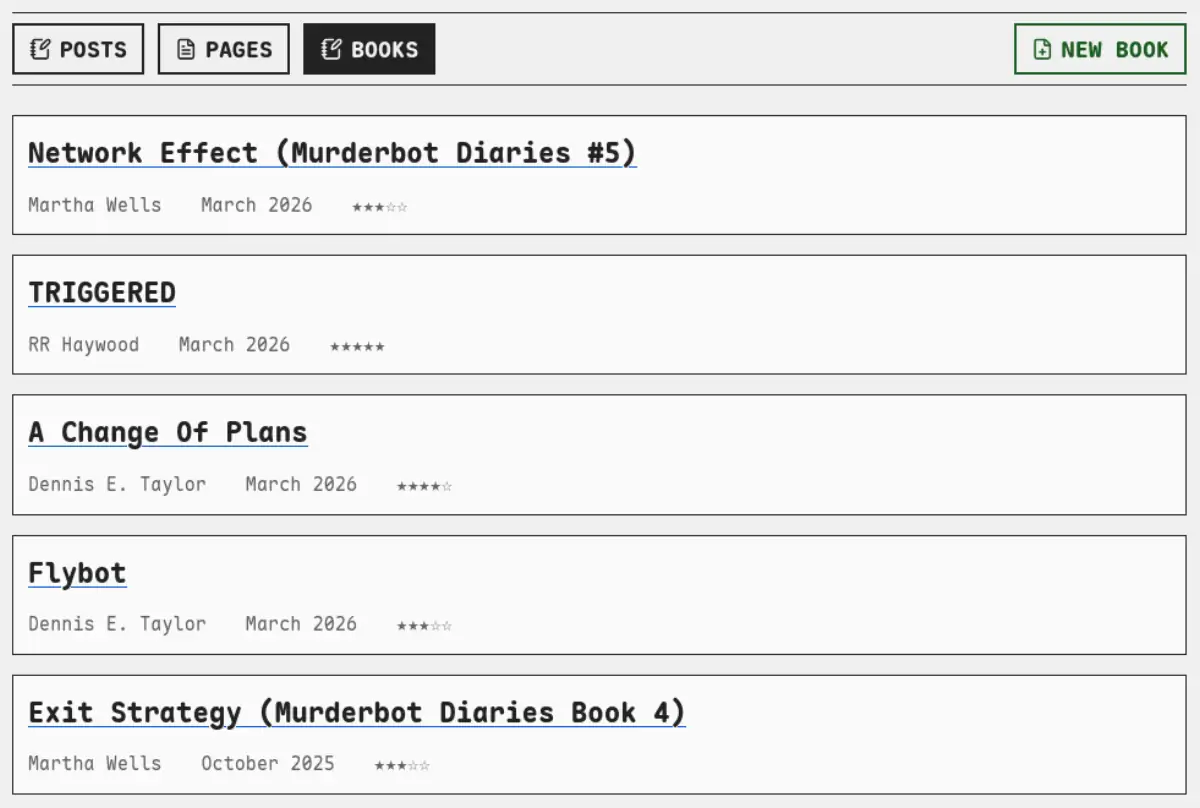 My new book list in Pure Blog
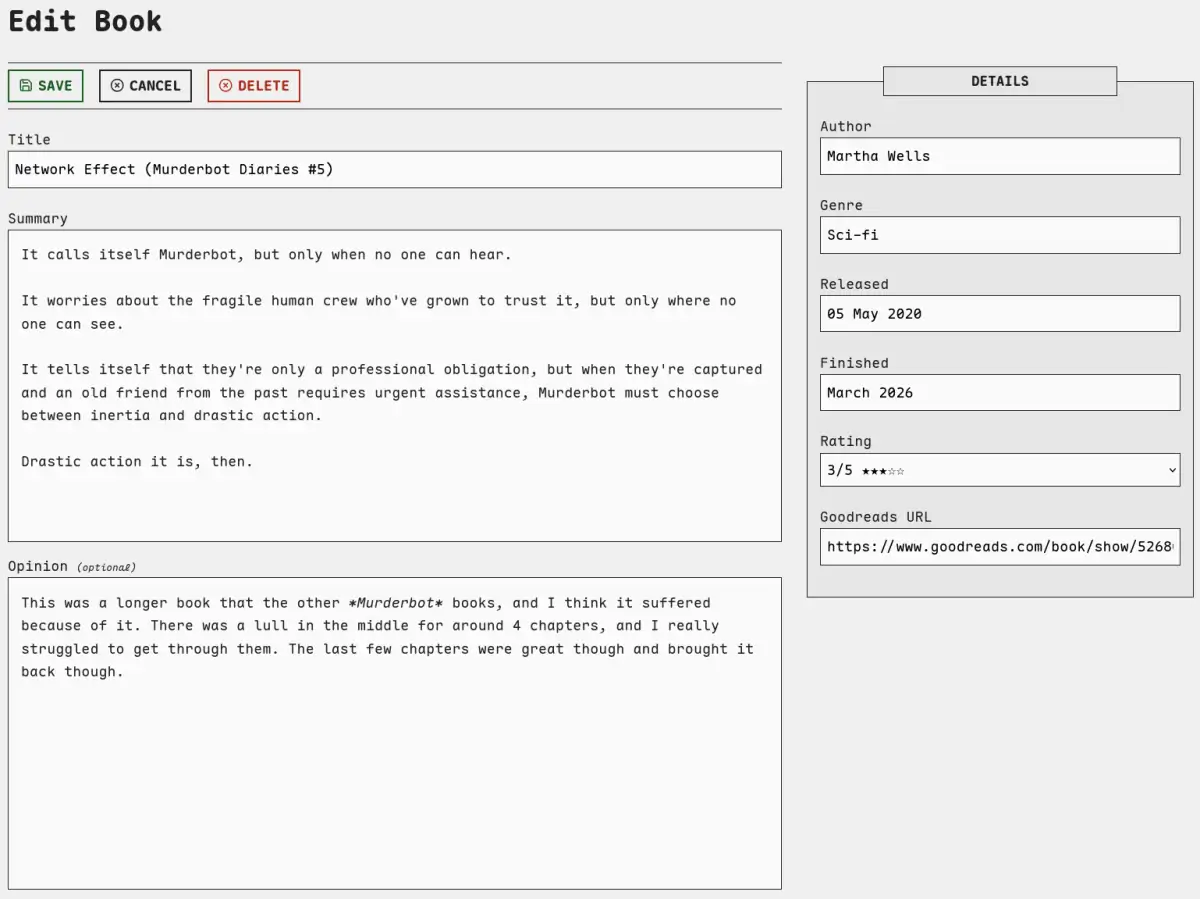 A book being edited
How it actually works
Pure Blog has a few mechanisms that make this kind of thing surprisingly clean:
content/functions.php is auto-loaded after core, so any custom functions I define there are available everywhere — including in admin pages. I put my save_books_yaml() function here, which takes the books data and writes it back to the books.yml data file, then clears the cache — exactly like saving a normal post does. Again, zero core changes.
config/update-ignore is the escape hatch for when I do need to override a core file. I added both admin/content.php (where I added the Books tab) and admin/edit-book.php (the new editor) to the ignore list, so future Pure Blog updates won't mess with them. It's a simple text file, one path per line. Patch what you need, ignore it, and move on.
content/includes/ is where it gets a bit SSG-ish. The books page is powered by content/includes/books.php — a PHP file that loads the YAML, sorts it by read date, and renders the whole page. It's essentially a template, not unlike a Liquid or Nunjucks layout in Jekyll or Eleventy. Same idea for the books RSS feed.
Using a YAML data file for books made more sense to me, rather than markdown files like a post or a page, as it's all metadata really. There's no real "content" for these entries.
Put those three things together and you've got something pretty nifty. A customisable admin UI, safe core patching, and template-driven data pages — all without a plugin system or any framework magic.
Bloody. Brilliant.
Why this matters to me
I spent years chasing the perfect CMS, and a big part of what I was looking for was this. The ability to build exactly what I need without having to fight the platform, or fork it, or bolt on a load of plugins.
With Kirby, I could do this kind of thing, but the learning curve was steep and the blueprint system took me ages to get my head around. With Jekyll/Hyde, I had the SSG flexibility, but no web-based CMS I could login to and create content - I needed my laptop. Pure Blog sits in a really nice middle ground — it's got a proper admin interface out of the box, but it gets out of the way when you want to extend it.
I'm chuffed with how the book editor turned out. It's a small thing, but it's exactly what I wanted, and the fact that it all lives outside of core means I can update Pure Blog without worrying about losing any of it.
Now, if you'll excuse me, I have some books to log. 📚
Subscribe for more!
You don't have to keep coming back here to read my latest waffle. There's a couple of ways to subscribe to receive updates whenever I publish new content.